
Understanding network performance has never been easier
Download and run free full-stack network tests with Novabench
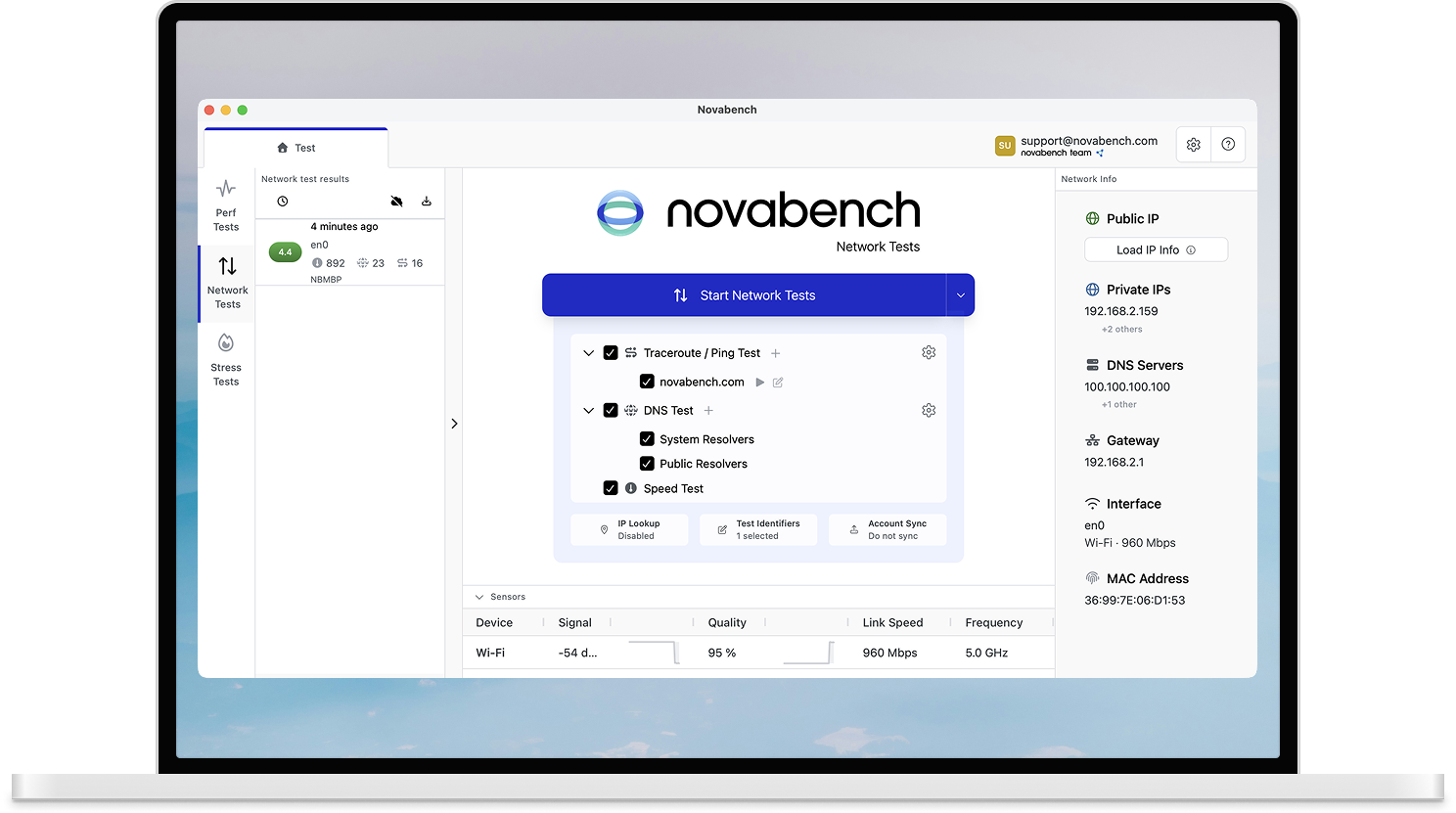
Connection Quality
Novabench scores your connection quality by measuring the full picture of your connection, including throughput, latency, and DNS resolution.
- Get an overall connection quality score (1 to 5 points)
- Surface bufferbloat and other potential issues that could be impacting your connection
- Monitor your WiFi signal and system performance alongside, to help determine if issues are from your ISP, your router, or your device
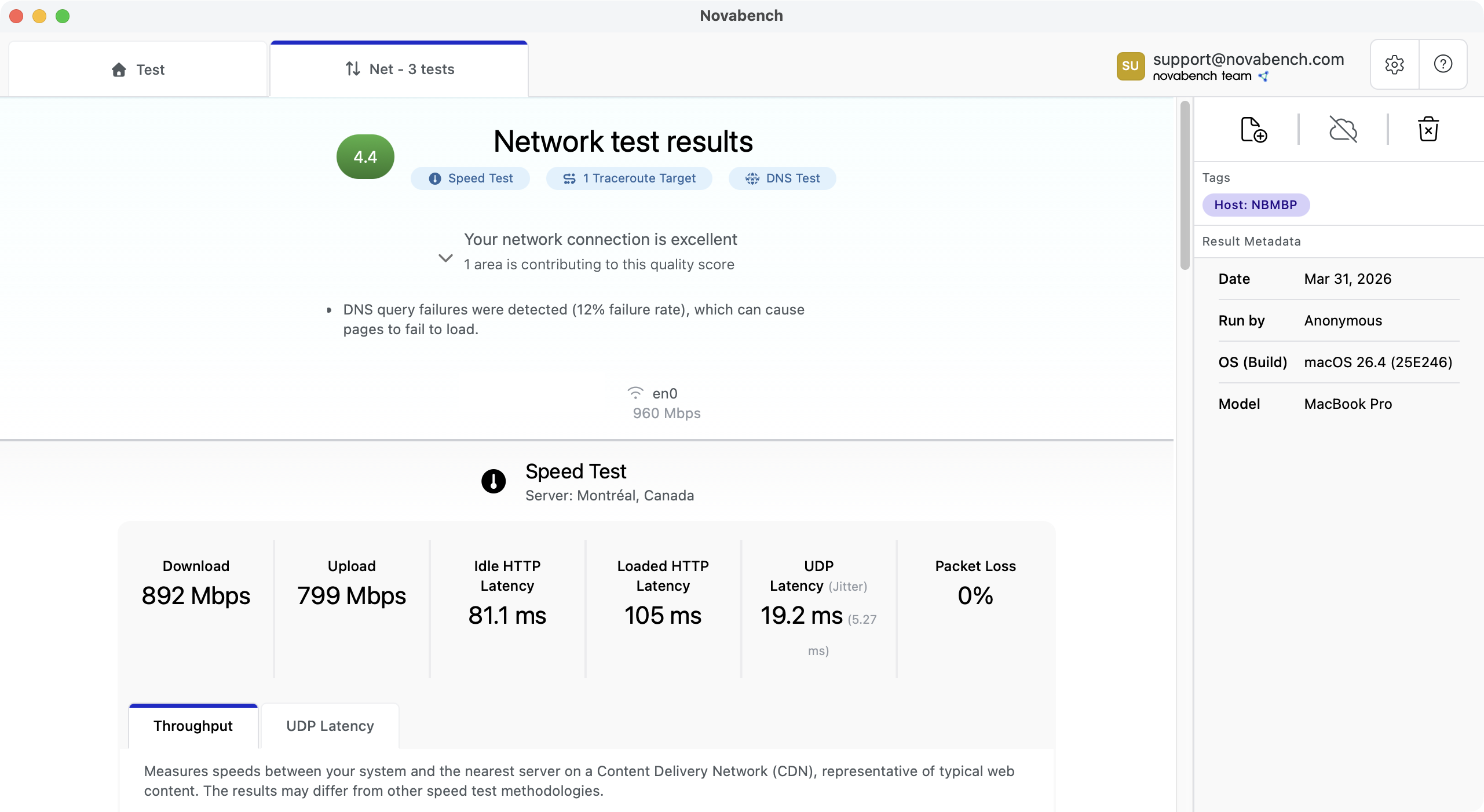
Connection Quality
Novabench scores your connection quality by measuring the full picture of your connection, including throughput, latency, and DNS resolution.
- Get an overall connection quality score (1 to 5 points)
- Surface bufferbloat and other potential issues that could be impacting your connection
- Monitor your WiFi signal and system performance alongside, to help determine if issues are from your ISP, your router, or your device
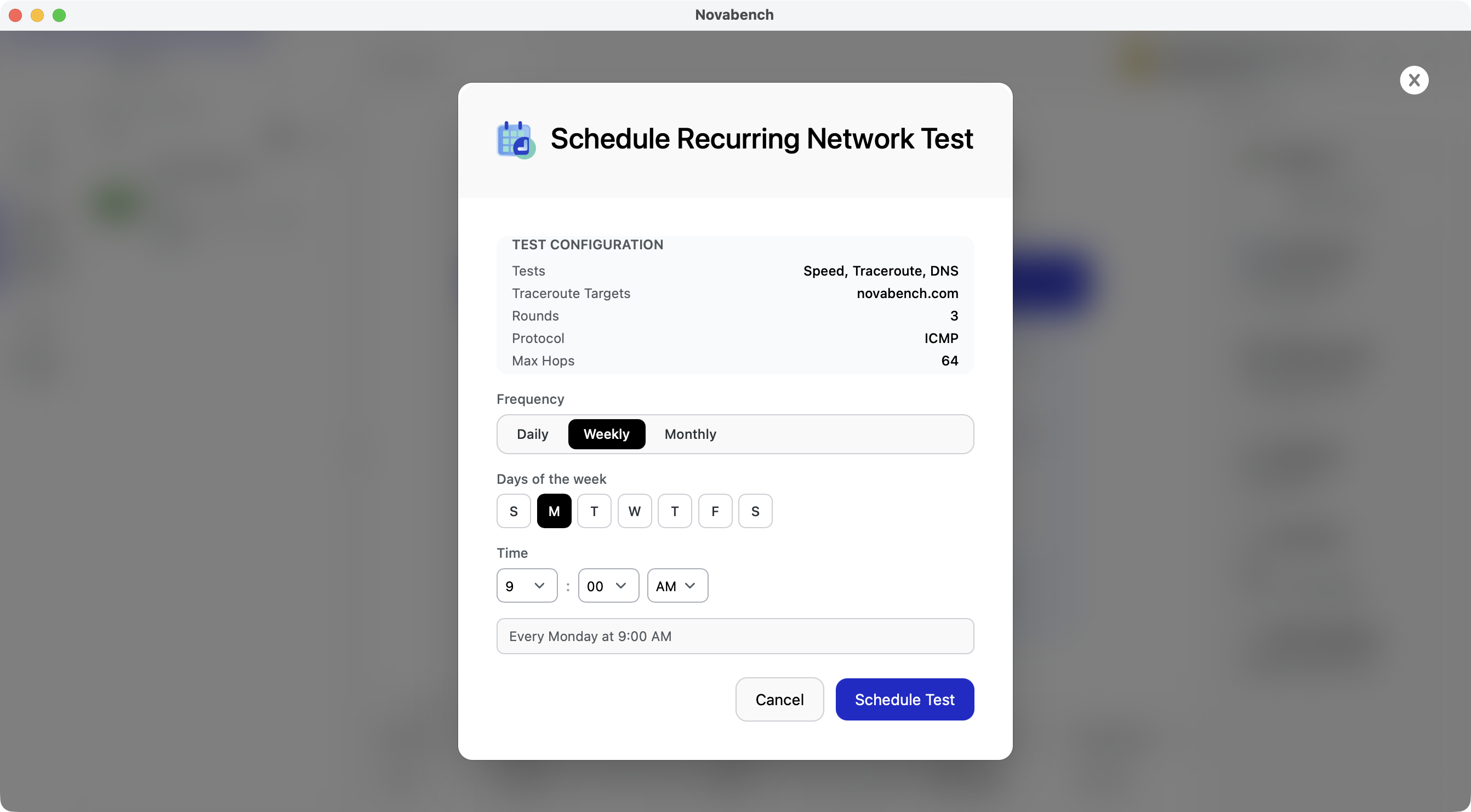
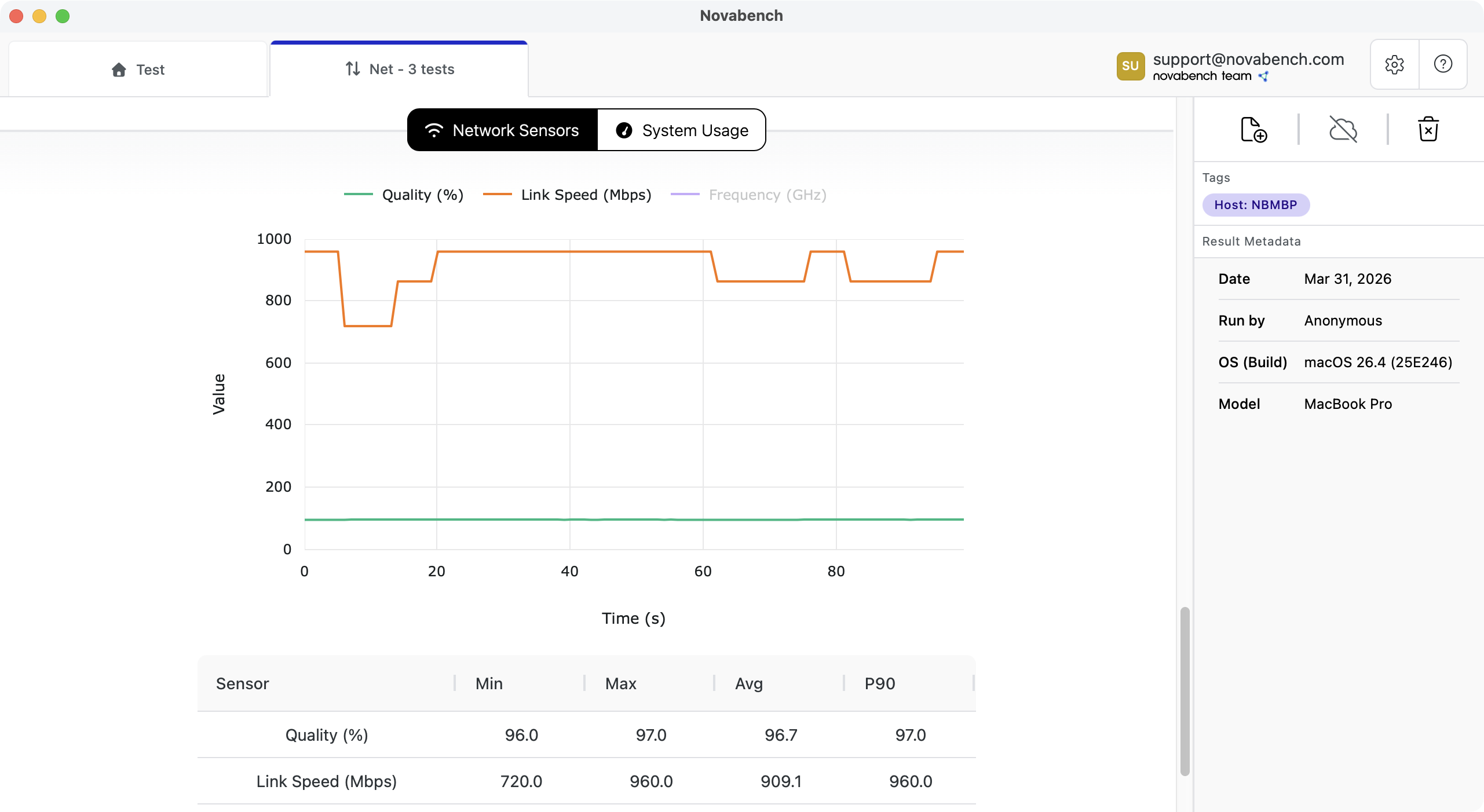
More diagnostic data than web-based tests
Because Novabench runs natively on your device, it can monitor your network adapter, WiFi signal strength, and overall system performance during every test. That context helps you tell whether a slow connection is your ISP, your WiFi, or your device under load.
- Real-time WiFi RSSI, link speed, and channel monitoring
- Network adapter stats alongside speed test results
- System performance context to rule out device-side bottlenecks
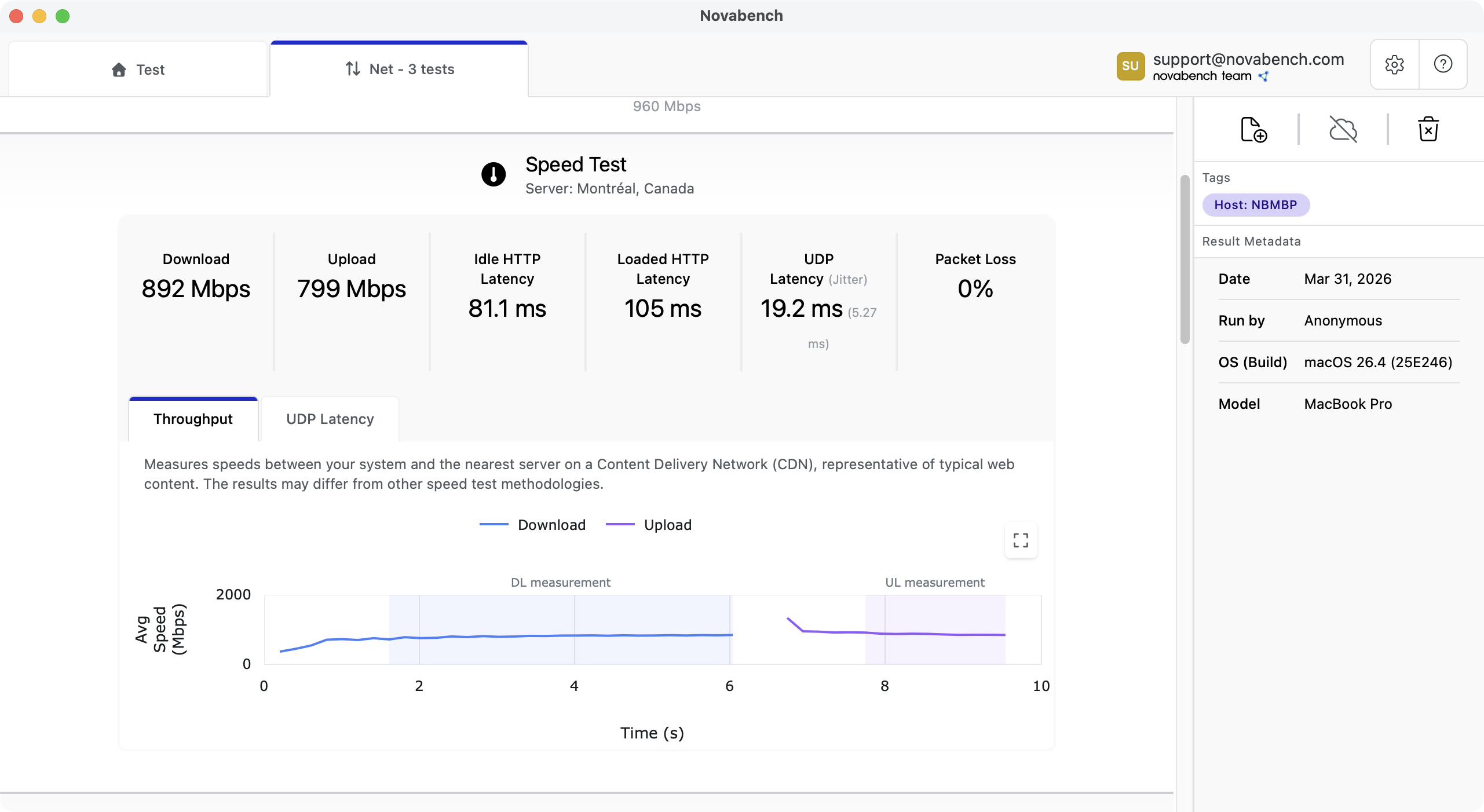
Realistic Speed Test Measurements
Novabench uses multi-connection downloads and uploads to CDNs that are realistic for typical web browsing. Loaded latency is measured simultaneously, revealing bufferbloat that only appears when your connection is in use.
- Multi-connection throughput saturates your link for accurate results
- Loaded latency measured during the transfer, not just idle ping
- Real-time throughput graphs show how speed varies during the test
Connection quality beyond raw speed
Raw speed is only part of your connection quality. High jitter and packet loss ruin real-time application performance like video calls. Novabench measures these under various conditions, and combines everything into an overall connection quality score.
- Overall quality score rates your connection for realistic applications
- Idle vs loaded latency comparison quantifies bufferbloat
- UDP probes measure jitter and packet loss under real conditions
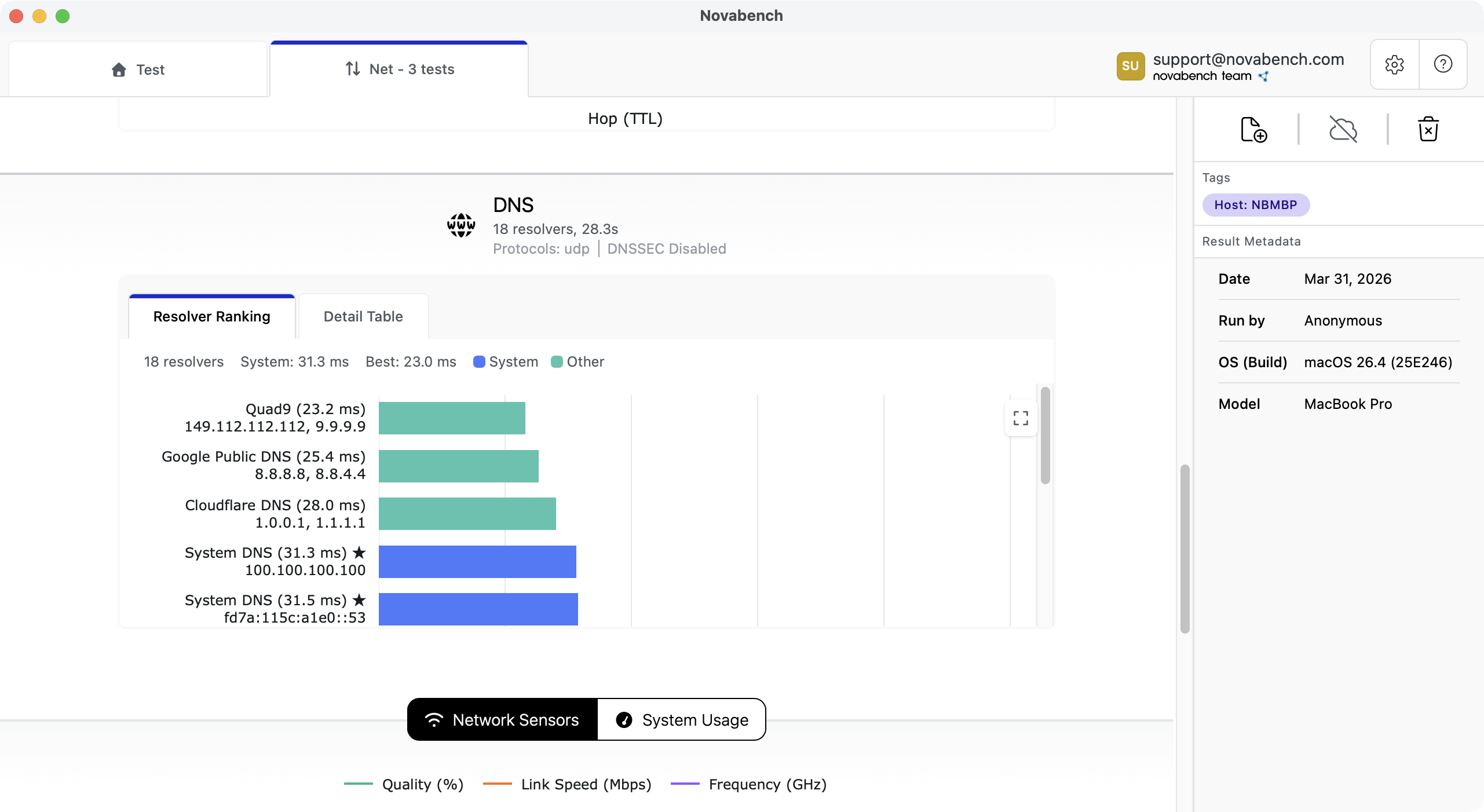
Find your fastest DNS resolver
DNS resolution adds latency to every page load and app connection. Novabench benchmarks your system DNS alongside public resolvers to show which resolver is fastest for your location.
- Benchmarks public resolvers against your system DNS
- Ranks resolvers by realistic query times
- Verifies DNSSEC validation support per resolver
- Measure the overhead of privacy-improving alternative DNS protocols (DoH, DoT, DoQ)
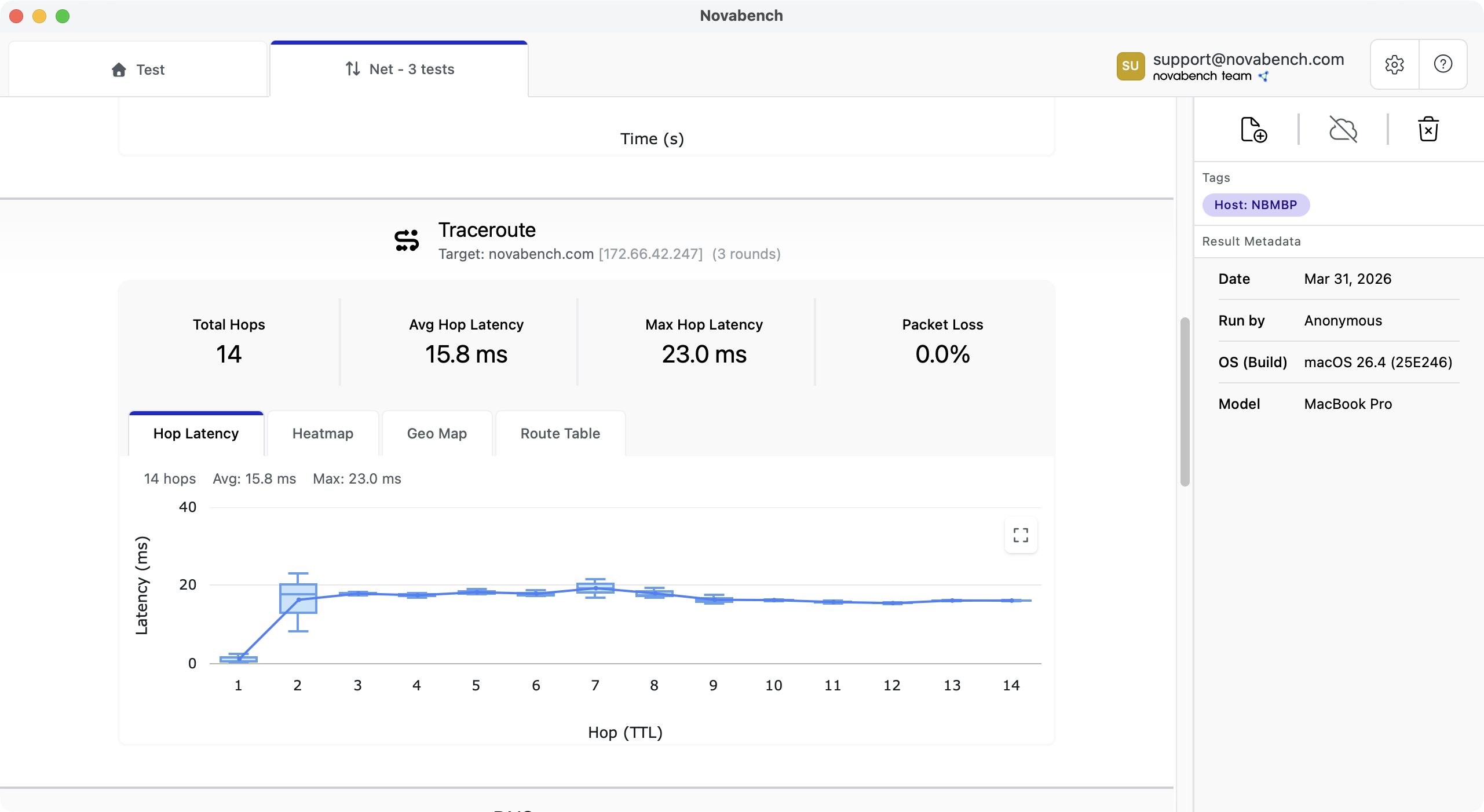
Pinpoint where slowdowns occur
Novabench traces every hop between you and any destination, measuring per-hop latency and packet loss to show exactly where slowdowns occur. Geographic mapping shows the physical path your data takes, making it easy to spot unexpected routing or distant hops adding latency.
- Per-hop latency and packet loss in an interactive chart
- Run continuous traceroute tests to see changes in real-time
- Geographic mapping shows the physical path your data takes
- Isolate whether the problem is local, ISP, or upstream

See where HTTPS connections spend their time
The HTTPS test times a real connection phase by phase: DNS lookup, TCP connect, TLS handshake, and time to first byte. It runs cold and warm samples to show how much a resumed TLS session saves, and reports the protocol and certificate the server negotiates.
- Phase-by-phase timing in a connection waterfall, cold compared to warm
- Session resumption savings measured directly from the TLS handshake
- Negotiated ALPN, TLS version, cipher, and certificate expiry at a glance
- Runs on Windows, macOS, and Linux with no elevated permissions

See what sits in your network path
Every network test also inventories the security agents, proxies, VPNs, and filters between your apps and the internet. It reads the configuration in process, without launching command line tools, so it stays quiet under endpoint security software.
- Detects EDR and security agents, proxies, DNS proxies, and VPN tunnels
- Names known vendors and keeps the raw name for anything unrecognized
- Reports an unauthorized or failed elevated scan instead of a false all-clear
- Included on every plan on Windows, macOS, and Linux
Frequently Asked Questions
A network speed test measures how fast data can travel between your device and a remote server. Novabench measures download speed, upload speed, idle latency, loaded latency, jitter, and packet loss, giving you a complete picture of your connection quality beyond just raw throughput.