
Local LLM benchmarks
Test any local LLM model across hardware and runtimes, measuring performance and efficiency.
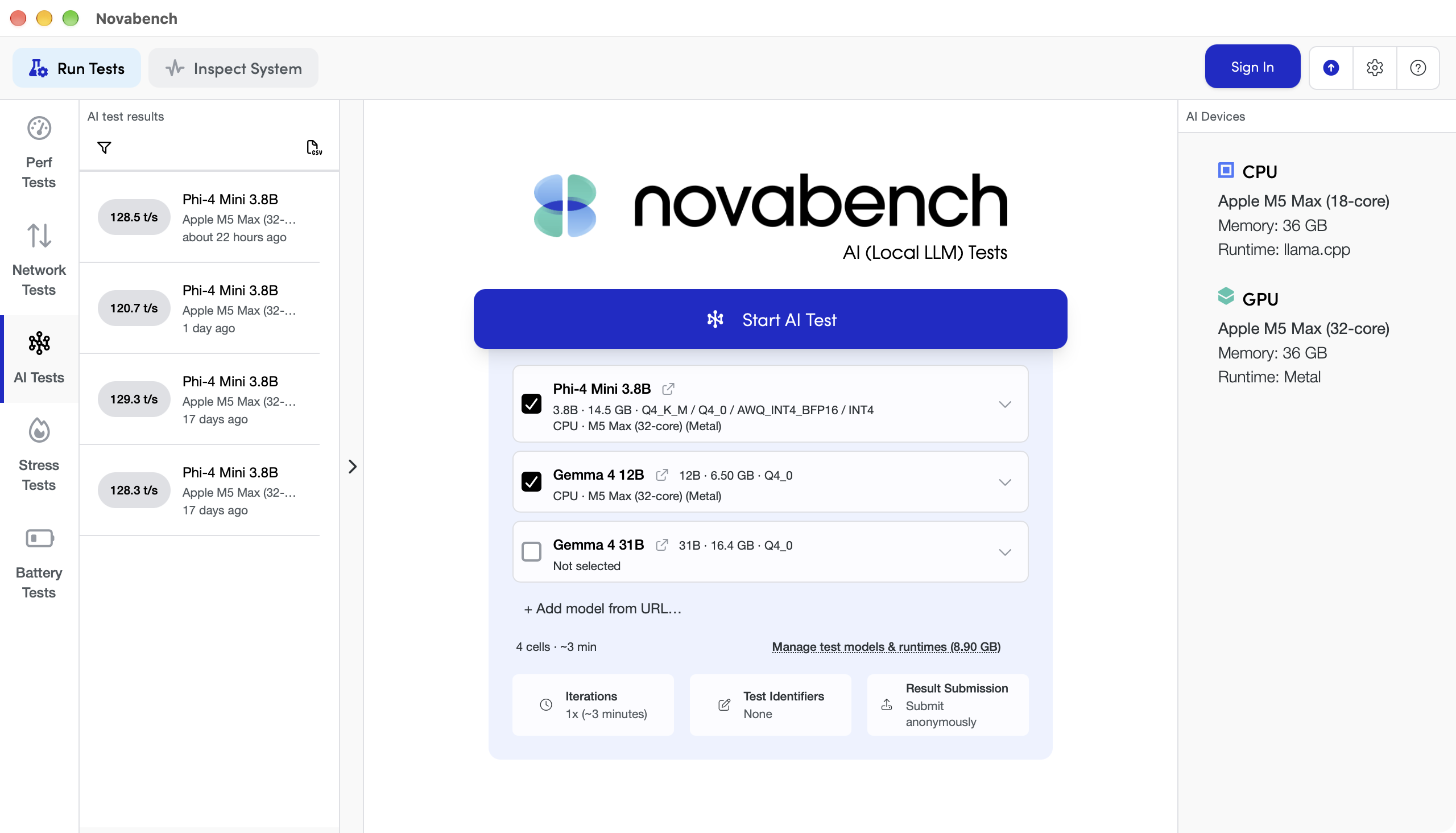
Prefill & decode
Measure key performance metrics, across prompt sizes.
- Prefill throughput, in tokens per second
- Decode throughput
- Time to first token
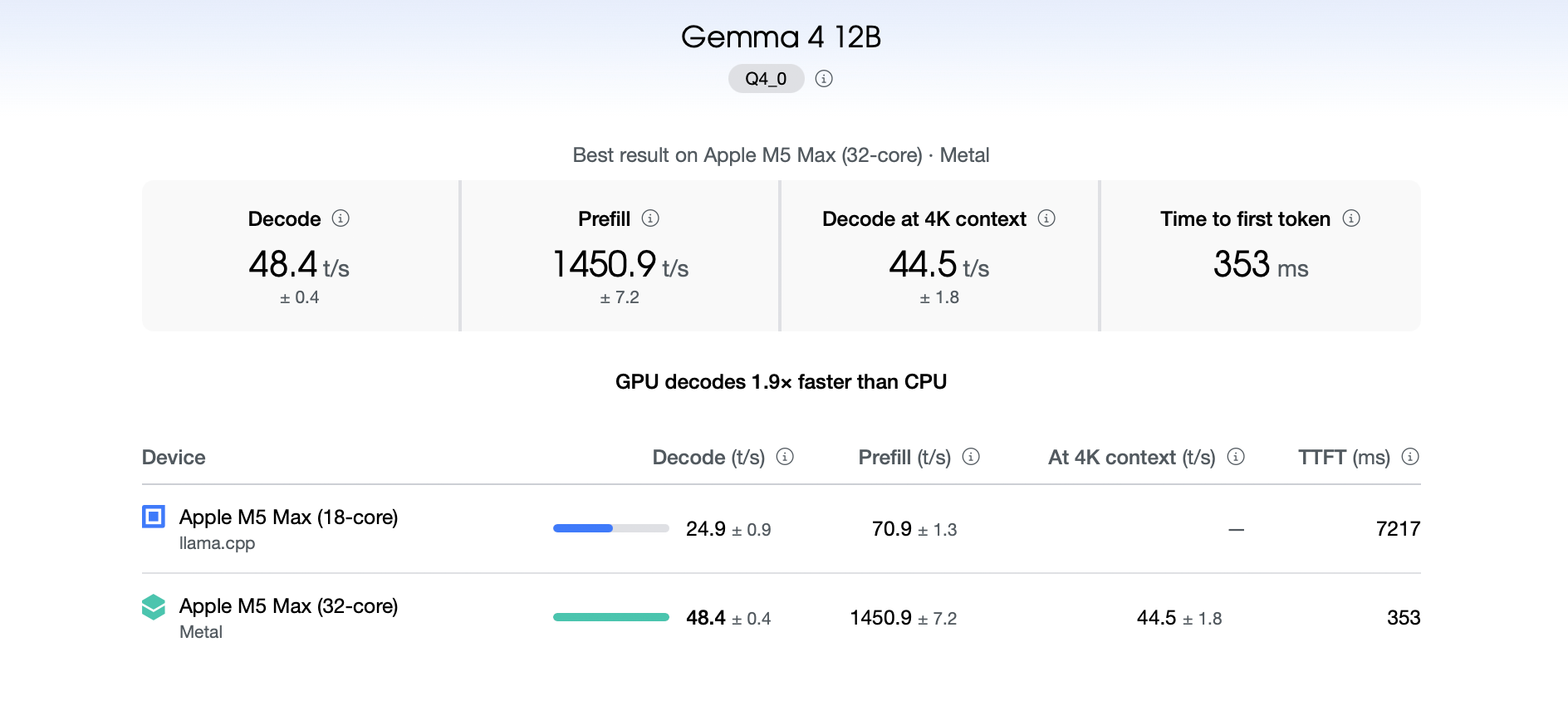
Prefill & decode
Measure key performance metrics, across prompt sizes.
- Prefill throughput, in tokens per second
- Decode throughput
- Time to first token
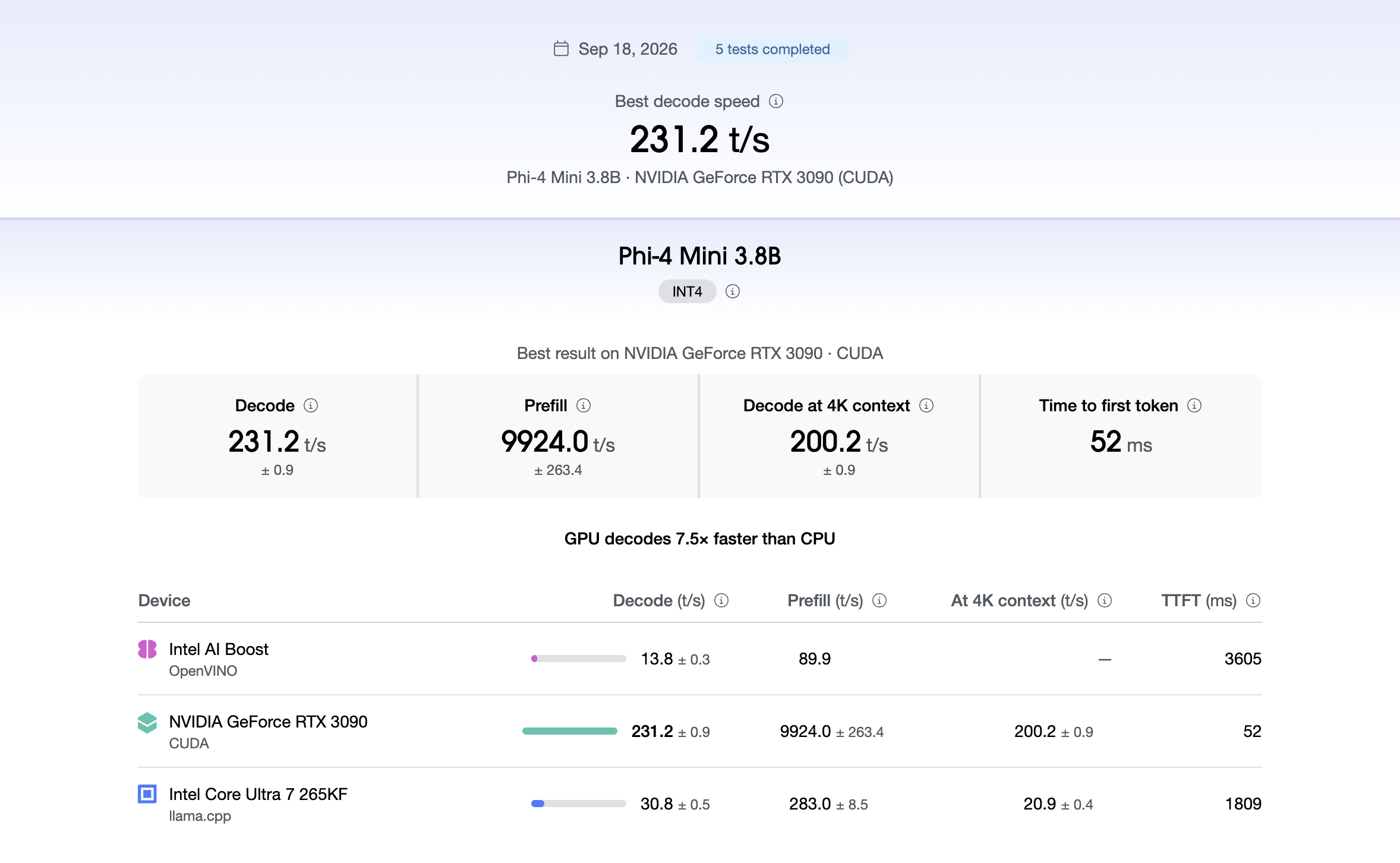
Test how quickly your hardware can run a model
Measure how long it takes to read a prompt and generate a response, and how that changes as context size increases.
- Time to first token, in milliseconds
- Prefill and decode throughput, in tokens per second
- Decode at 4,096 tokens of context, for long sessions
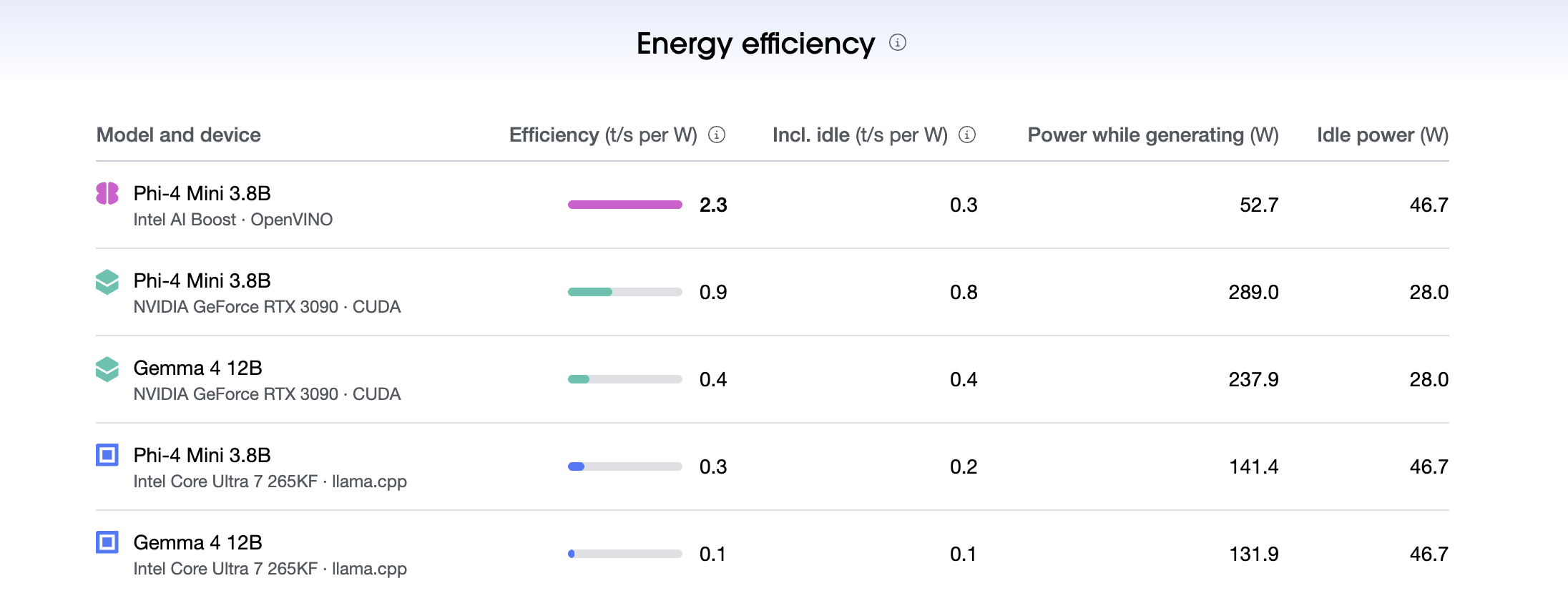
Find the best hardware and runtime for each model
The same model can run on the CPU, on each GPU through CUDA, Vulkan, Metal, or OpenCL, and on a supported NPU through its vendor runtime. Novabench tests every combination you select in a single run and records the device, runtime, and runtime version with each result.
- llama.cpp on CPU and GPU, through the compatible backend
- CUDA, Vulkan, Metal, and OpenCL on supported GPUs
- Hexagon, OpenVINO GenAI, and Ryzen AI on supported NPUs
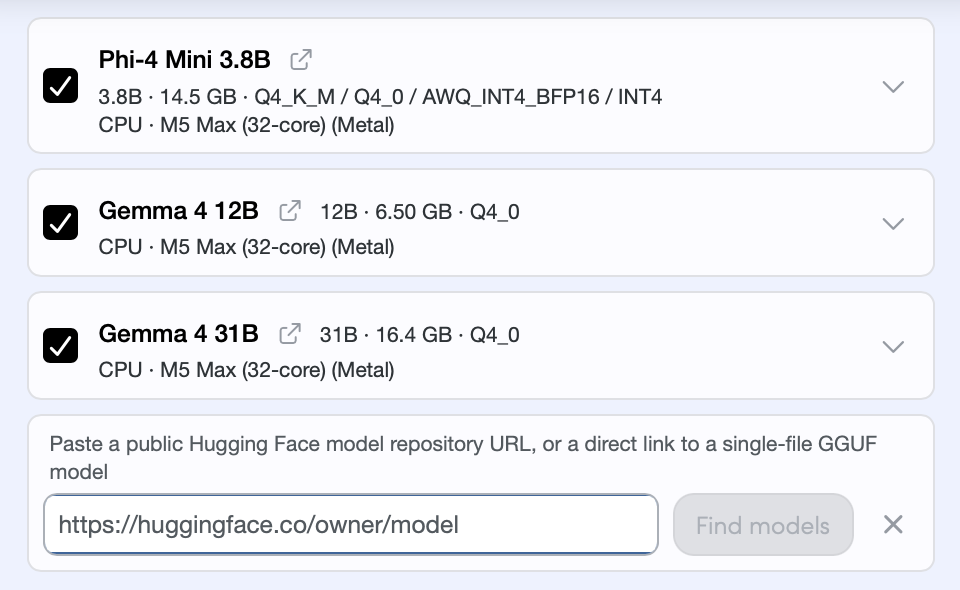
Test any model
The presets models cover three size classes: Phi-4 Mini 3.8B at 2.5 GB, Gemma 4 12B at 7 GB, and Gemma 4 31B at 17.7 GB, all Q4 quantized. Larger models need more memory and generate more slowly - Novabench checks for compatibility with your hardware prior to testing.
- Phi-4 Mini 3.8B and Gemma 4 12B enabled by default
- Gemma 4 31B available on compatible hardware
- Load any model from Hugging Face or a direct GGUF link
How the AI benchmark works
Novabench's AI benchmark is designed around three priorities: consistent measurement, fair comparison across hardware and runtimes, and raw per-test detail instead of a single score.
- Warmup and repeated runs
- Each cell warms up before it records anything, then repeats the workload: five runs each for prefill and decode, and two for the 4K context pass, which runs on GPU cells and on CPU cells up to 4B parameters. Metrics exclude model load time, and each one is reported as an average with its run-to-run spread.
- Process isolation
- Each cell runs its benchmark binary in a separate process, outside the Novabench app. Cells run one at a time, so two of them never compete for the same device, and a cell that fails or passes its ten minute limit is recorded with a reason while the run moves on.
- Fixed workload shapes
- CPU and GPU cells run a 512-token prefill and a 128-token decode, then repeat decode with 4,096 tokens already in context.
- Fixed models and runtime builds
- Novabench supplies the model file and the runtime build. Both are recorded with the result, along with the quantization and runtime version.
- Production inference runtimes
- CPU and GPU cells run llama.cpp, at one fixed upstream build across every platform. NPU cells run the vendor stack for the device: Hexagon on Snapdragon, OpenVINO GenAI on Intel, and Ryzen AI on AMD.
- Raw metrics, no composite score
- Throughput, latency, and tokens per watt are reported as measured. Novabench does not produce a composite AI score, because use cases vary and what matters depends on whether you care about response latency, sustained generation, or efficiency.
Frequently asked questions
Inference throughput and latency for a local language model on each device that can run it. Every completed cell reports prefill throughput, decode throughput, and time to first token. GPU cells, and CPU cells up to 4B parameters, also decode with 4,096 tokens of context. Tokens per watt appears wherever the hardware reports power.
See how your computer runs local AI
Download Novabench free and find out which models your hardware can run, how fast, and at what power cost.