
- Network test
- Ping & traceroute
Visual Traceroute
Visual traceroute plots latency and packet loss for every hop between you and any destination, so you can see where your network path is slow or unreliable.
Other downloads
No ads, no bloat
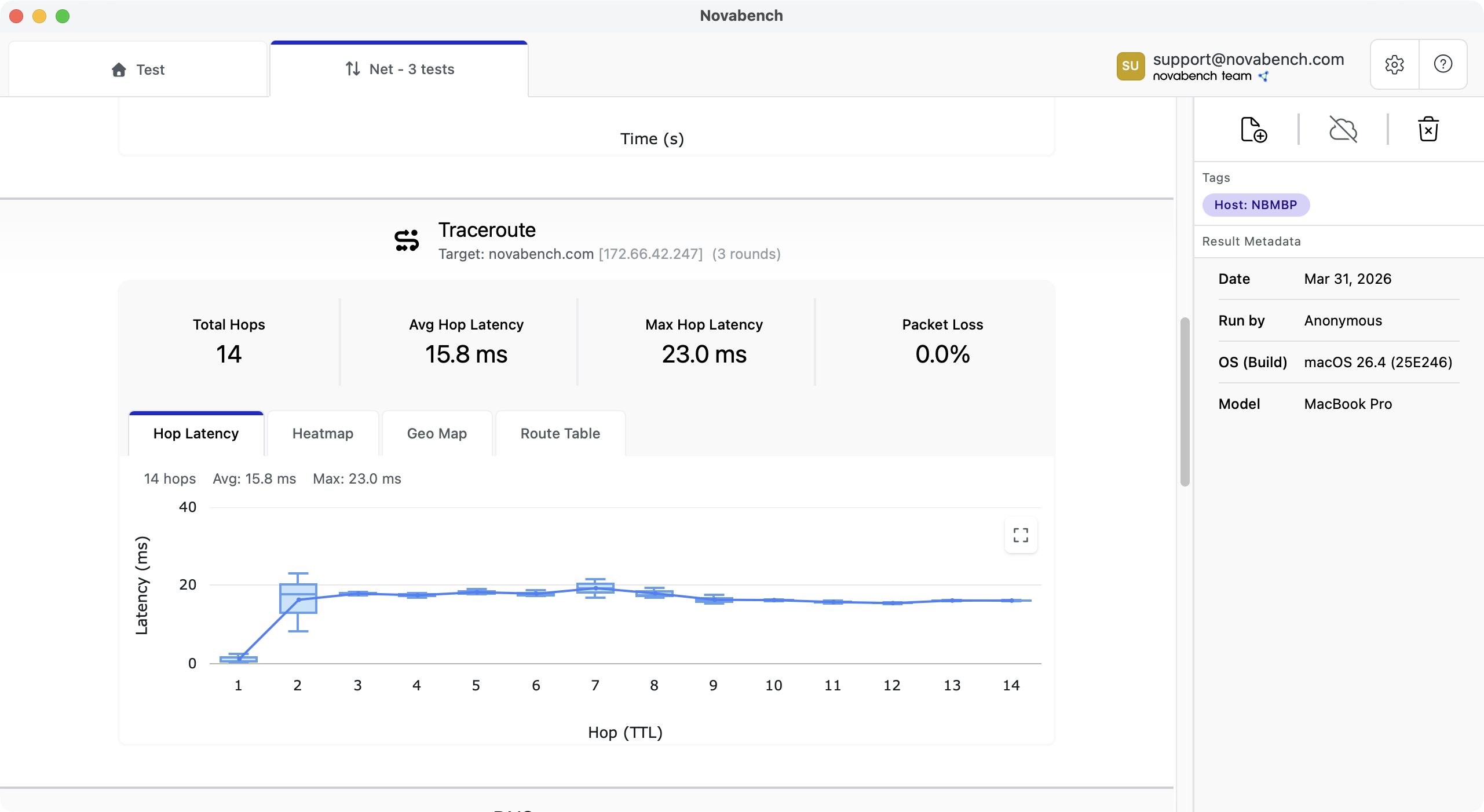
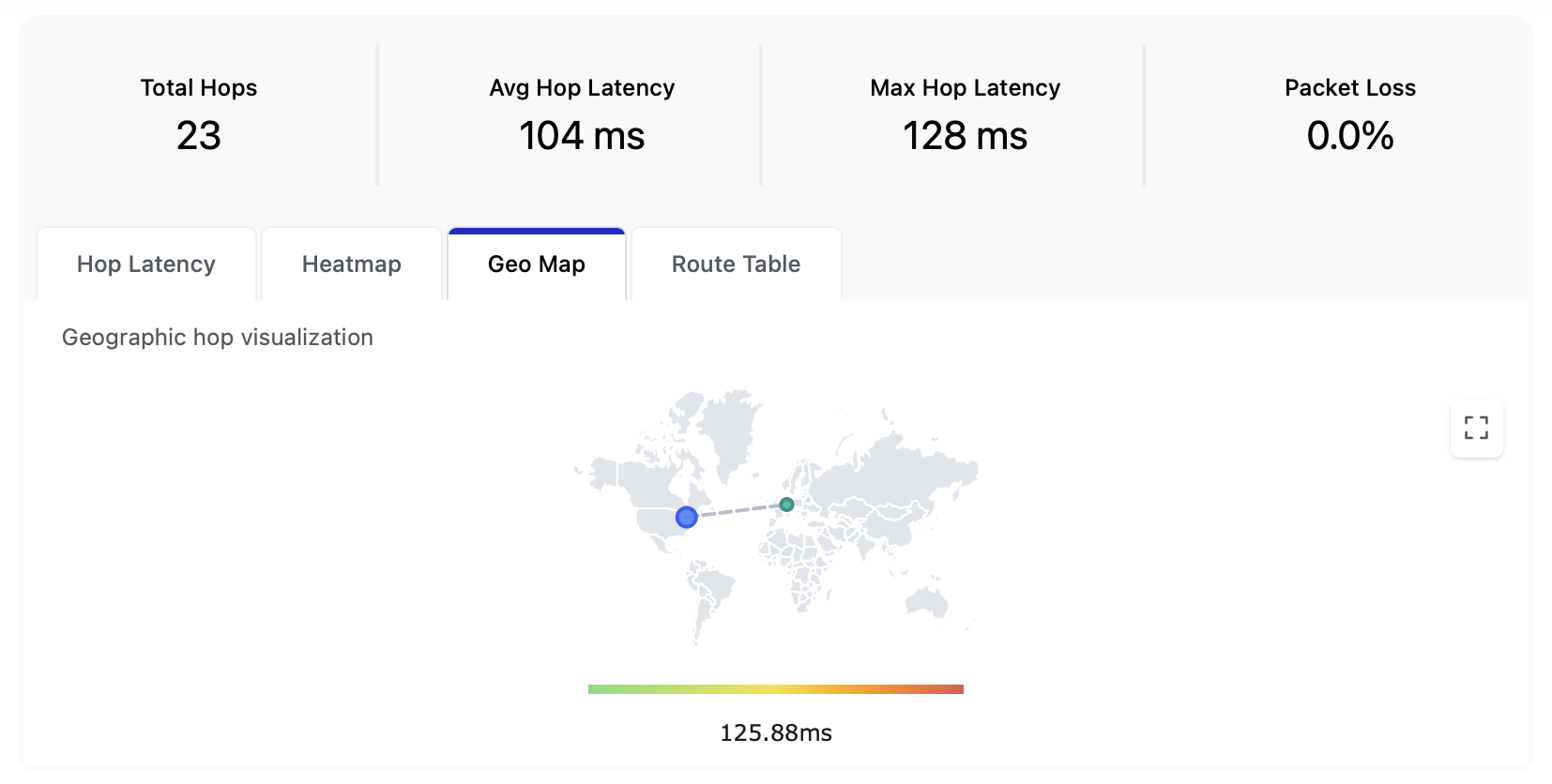
Four views of your route
Every traceroute produces four views from the same probe data.
- Box plot: per-hop latency distribution across all rounds, with median, quartiles, and outliers
- Heatmap: rounds on one axis, hops on the other, colored by round-trip time for quickly spotting problem areas
- Route map: every hop plotted on a world map from its IP geolocation
- Route table: IP, reverse DNS, ASN, city, RTT per round, and packet loss for every hop
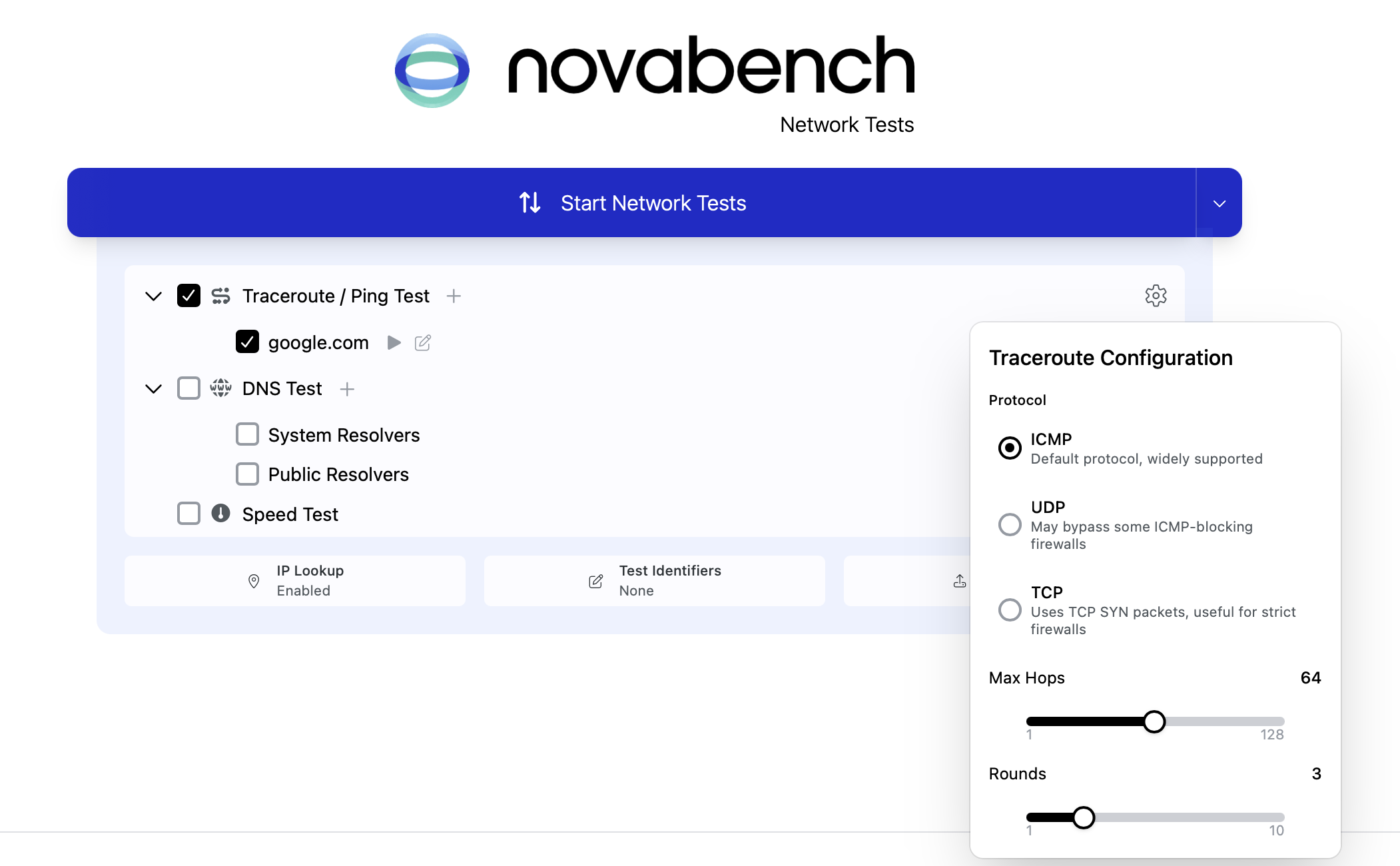
Configuration
Protocol, targets, hop count, rounds, and run mode.
- ICMP probes on Free; UDP and TCP on Plus for routes that block ICMP
- Default target on Free; up to 10 custom targets on Plus
- Max hops 1 to 128 and probe rounds 1 to 10 on Plus
- Continuous mode reruns the trace back-to-back until stopped
- Reverse DNS, geolocation, ISP, and ASN attached to every hop on Plus
Frequently asked questions
Yes. Novabench Free runs ICMP traceroute to the default target alongside the speed test and DNS benchmark on Windows, macOS, and Linux. Plus adds UDP and TCP probes, custom targets, configurable hops and rounds, detailed IP lookup, and syncing tests results to your cloud dashboard.
Trace your network path
Download Novabench free and map every hop between you and any destination on Windows, macOS, or Linux.
Other downloads
No ads, no bloat