
- Benchmark test
- Memory test
Benchmark your memory
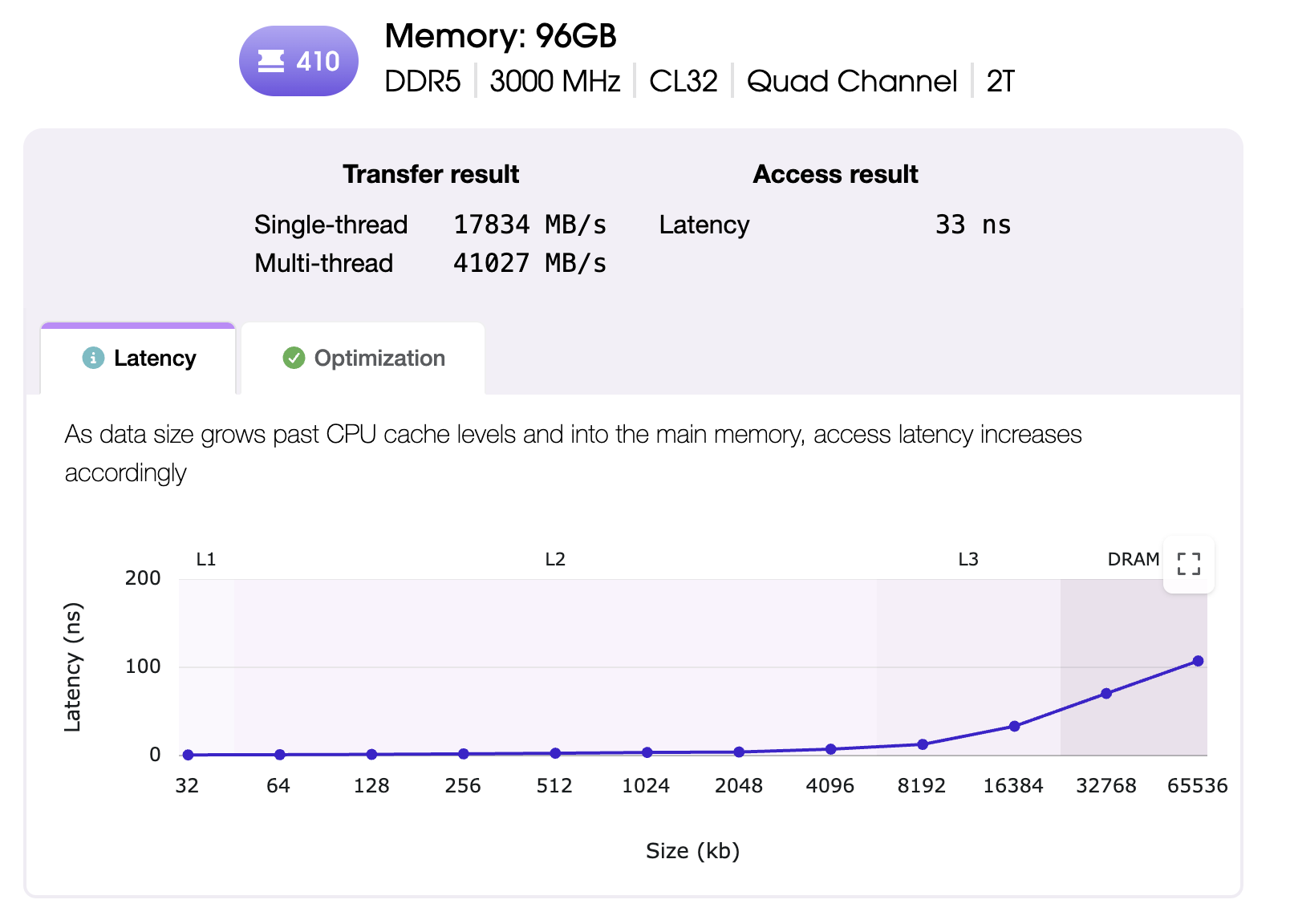
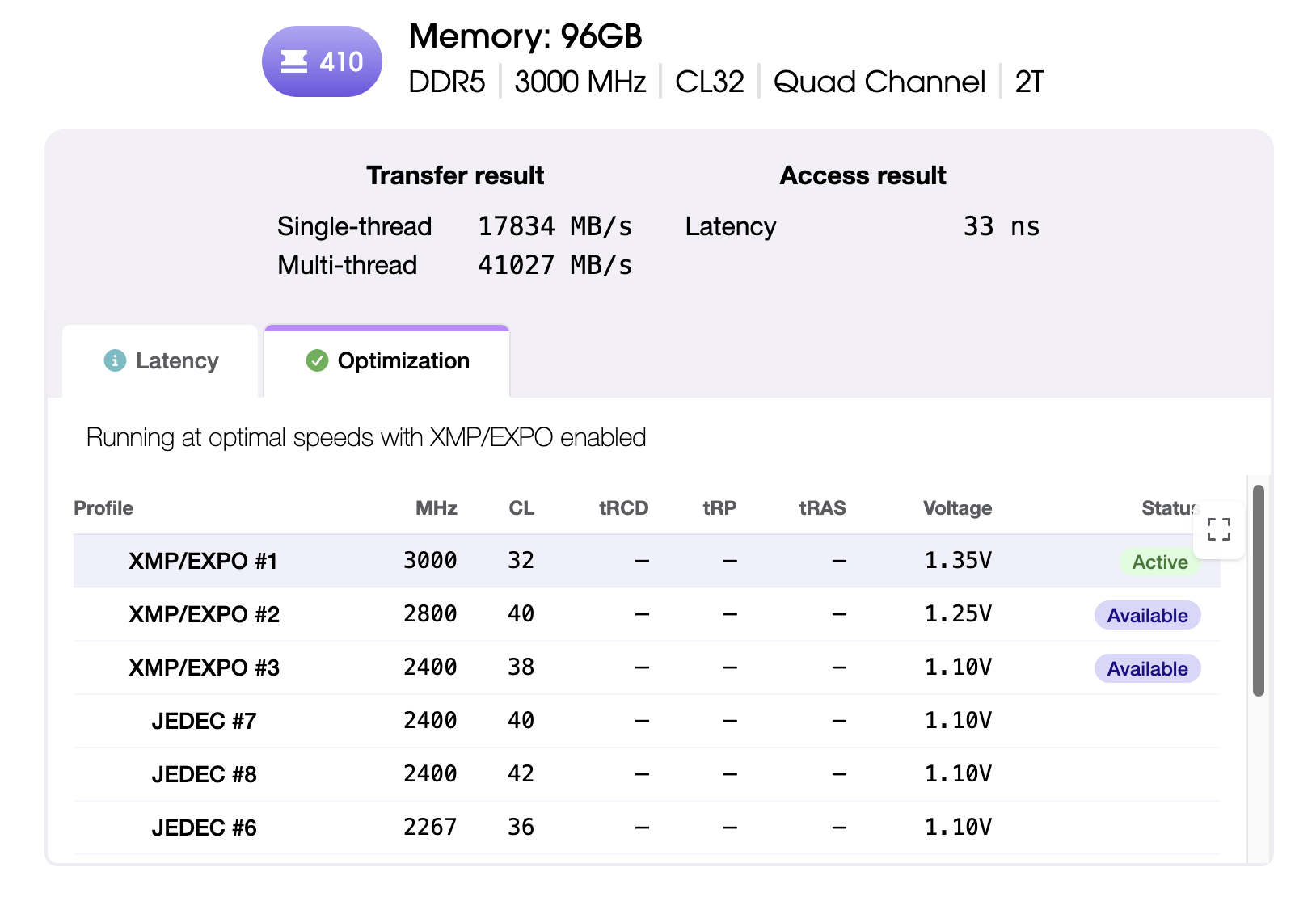
Novabench measures memory bandwidth and cache latency, validates timing configuration, and indicates issues that may be limiting performance.
What the memory test measures
Novabench runs two workload types that exercise different parts of the memory subsystem. Individual test results roll up to a top-level score that reflects a balanced performance profile for general comparison.
- Streaming bandwidth using non-temporal operations that bypass the CPU cache, reported in GB/s for read and write
- Pointer-chasing latency walk across progressively larger regions to profile L1, L2, L3 cache and main RAM access times
- Module configuration captured alongside the result, including channel layout, rated speed, and active timing profile (on supported systems)
Compare across Windows, macOS, and Linux
Novabench memory workloads are comparable across supported platforms and memory architectures.
How the memory benchmark works
Novabench's memory benchmark is designed around three priorities: consistent measurement, fair comparison across systems, and a balanced top-level score backed by full per-test detail.
- Warmup and calibration
- Each test starts with a warmup phase to establish a steady operating state and calibrate workload size for the system.
- Process isolation
- Each test runs in its own worker process, separate from the Novabench app. This lets the benchmark control exactly how the workload runs, without interference from the app's own UI, logging, and sensor sampling. It also keeps each test from being influenced by the one before it.
- Streaming bandwidth measurement
- The transfer test uses non-temporal memory operations that bypass the CPU cache, so the result reflects raw bandwidth to and from RAM rather than cache speed. Large buffers are read and written repeatedly, and the top throughput across multiple passes is recorded.
- Pointer-chasing latency profile
- The latency test walks a randomized linked structure laid out across progressively larger regions. Each access depends on the previous one, so prefetching and out-of-order execution cannot hide the cost. The result is a clear picture of access times at L1, L2, L3, and main RAM.
- Workloads and scoring
- Bandwidth and latency results feed a score that weights heavily toward throughput and access time, with a smaller contribution from installed capacity. The headline score is a summary for general-purpose comparison; the per-test details show how memory handles specific workloads, and both are always shown together.
Frequently asked questions
Yes. Novabench Free runs the full memory benchmark along with CPU, GPU, storage, and NPU tests on Windows, macOS, and Linux. Paid tiers add sensor monitoring, deeper reports, and team features.
Benchmark your memory
Download Novabench free and score your memory in minutes on Windows, macOS, or Linux.